 Faruk Ur Rahman
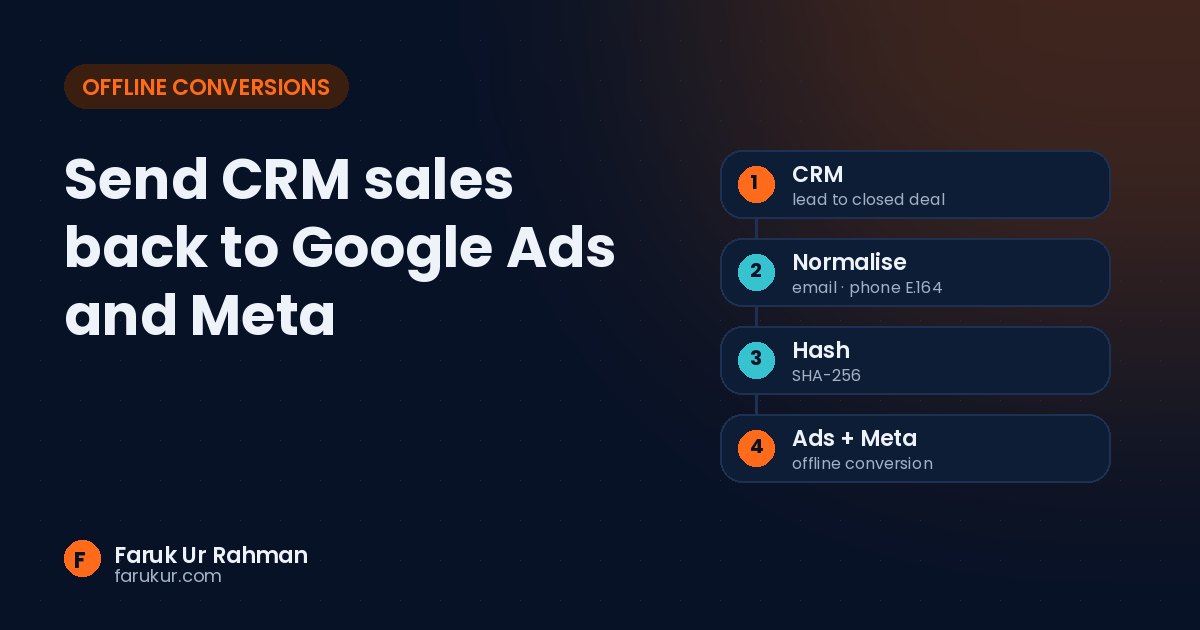
Send CRM sales back to Google Ads and Meta
A lead fills in your form. Three weeks later, your sales team closes a $4,000 deal. Google Ads and Meta never hear about it.
To the ad platforms, that lead looks exactly like the twenty that never answered the phone. So they keep finding more people like the twenty. Offline conversion tracking fixes that by sending the real outcome back.
What gets sent
For each closed deal (or qualified lead, or booked call), you send the ad platform:
- Who: the click ID if you have it (
gclidfor Google,fbcfor Meta), plus hashed email and phone - What: the conversion name, like “Qualified lead” or “Closed deal”
- When: the time the conversion happened, with time zone
- How much: the deal value and currency
The part most setups get wrong: cleaning the data
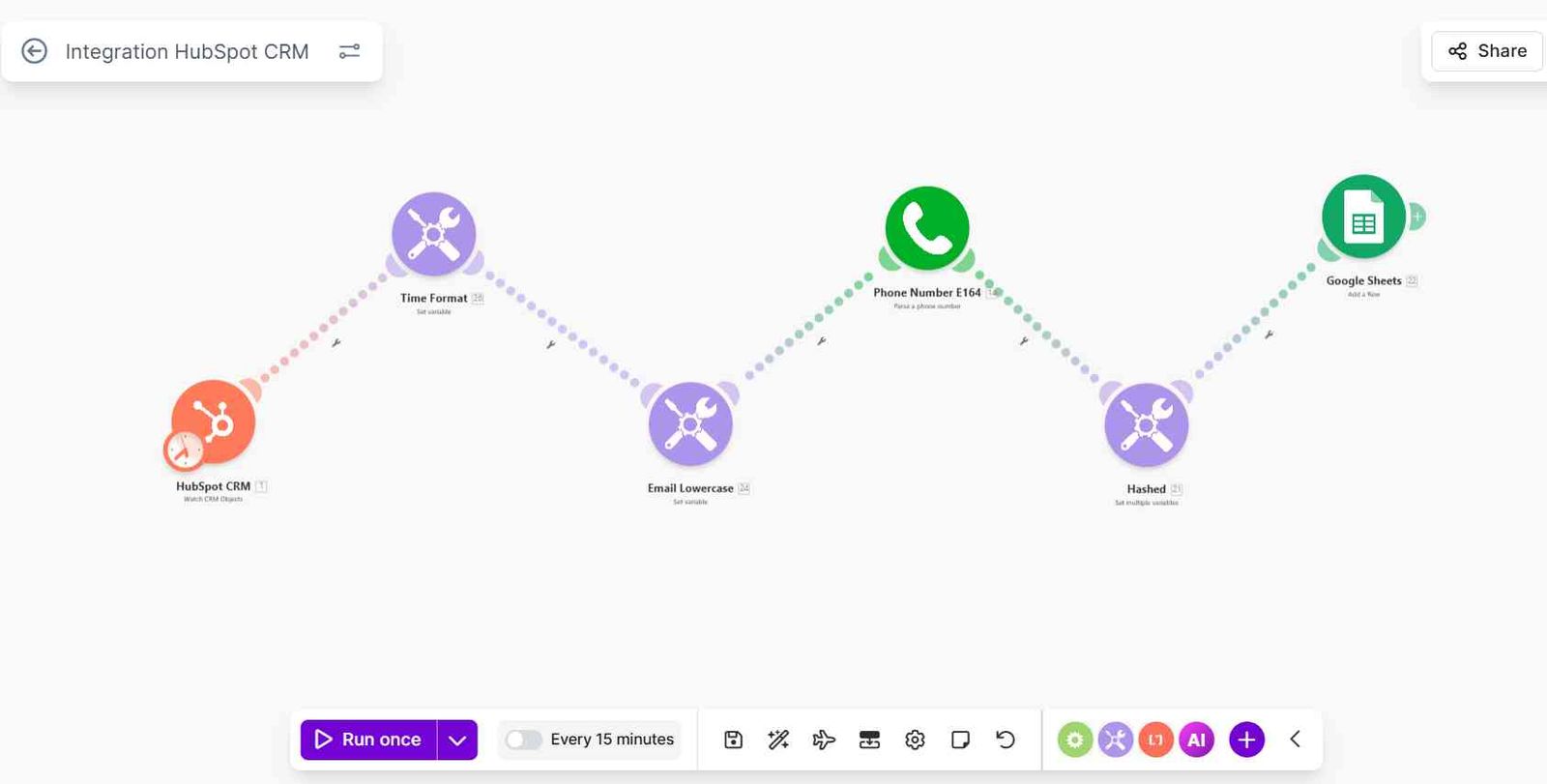
Ad platforms only match a customer if the hashed email or phone is exactly what they expect. Before hashing:
- Email: trim spaces and convert to lowercase
- Phone: convert to E.164 format, country code included (
+8801712345678, not01712-345678) - Then hash with SHA-256
Skip one step and the match rate drops quietly. Nothing errors, the conversions just don't get attributed.
Three ways to send it
| Method | Good for | Watch out for |
|---|---|---|
| Scheduled upload (Sheets or CSV) | Google Ads, small volumes | Someone forgets to upload |
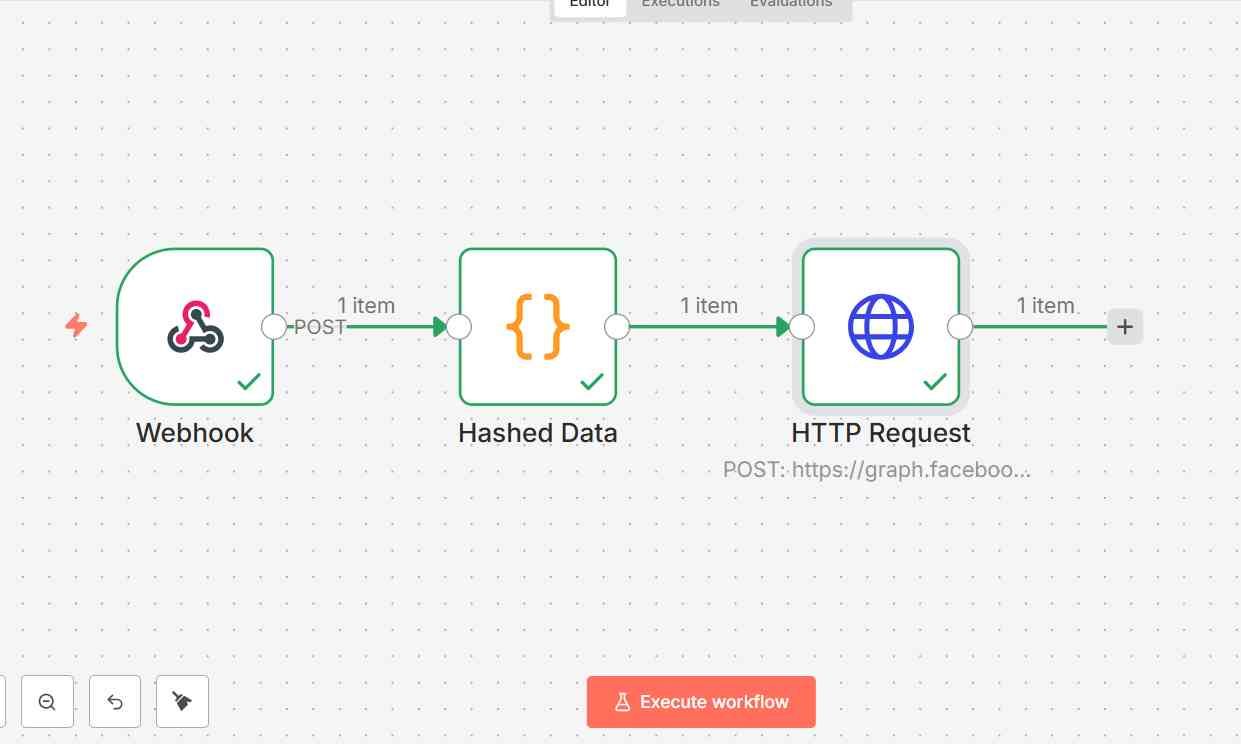
| Automation (webhook to API) | Meta CAPI, HubSpot and other CRMs | Needs monitoring when the CRM changes |
| Server-side GTM | Stores already running sGTM | More setup up front |
Timing matters
Each platform only accepts conversions within a window after the click or event, so long sales cycles need checking before you build. Send conversions as soon as they happen in the CRM rather than in a monthly batch.
Short version: capture the click ID and contact details at the form, clean and hash them properly, and send the real sale back automatically. Then let the bidding learn from revenue, not form fills.